
Most guides still treat how to create an AI assistant like a model-training exercise, but production teams don't ship that way anymore. They assemble instructions, retrieval, tools, and monitoring around one clear job, then launch, test, and refine it like any other governed system. That shift is the milestone, because it moves assistant creation out of the “prompt a chatbot” mindset and into an engineering workflow that can survive real users and messy inputs.
The practical consequence is simple, if the assistant needs to answer from company knowledge, trigger actions, or stay safe under pressure, you need a system, not just a clever prompt. Good teams start narrow, connect clean source material, test against good, bad, vague, risky, and out-of-scope prompts, then expand only after failures are understood. The fastest path is usually not building from scratch, it's assembling the right stack and putting guardrails in place early.
Table of Contents
- Reframe How You Think About AI Assistant Creation
- Choose Your Architecture Path
- Write Prompts That Control Behavior
- Connect Tools and Build Agent Logic
- Deploy, Monitor, and Scale Responsibly
- The Production-Ready Checklist
- Frequently Asked Questions
Reframe How You Think About AI Assistant Creation
The biggest misconception about assistant building is that you're “training a chatbot.” In production, that framing leads people to over-focus on model behavior and under-focus on the surrounding system. The more accurate mental model is assembly, where the assistant is made of instructions, retrieval, tools, and monitoring working together.
From one-off prompts to governed workflows
Early assistants were usually built around one clear job, explicit instructions, and retrieval from curated documents rather than broad autonomy. That pattern still matters because it matches how real teams launch: define a narrow scope, connect the right knowledge, test against real prompts, then iterate on the failures you find. The assistant improves because the workflow improves, not because someone keeps polishing a single prompt.
That's why the best builders treat the assistant like a controlled product launch, not a side experiment. They write allowed and forbidden behaviors, prepare clean source documents, add read-only tools first, and only then introduce write actions with validation and confirmation. The goal isn't cleverness, it's dependable behavior.
Practical rule: If the assistant can't explain its answer from the material you gave it, the problem is usually the system design, not the user's question.
This is also where the modern stack becomes different from old chatbot projects. A few years ago, many teams tried to fake intelligence with bigger prompts and more context. Today, the better move is to keep the assistant narrowly scoped, wire in retrieval, and add logging so low-confidence cases can be reviewed and fixed.
The historical milestone here is not a new model release. It's the emergence of assistant-building as an engineering workflow rather than a pure model-training exercise, which is why test sets, logging, and continuous refinement now sit at the center of the process.
Choose Your Architecture Path
Every assistant starts with an architecture decision, and that decision sets your ceiling for speed, control, and operational burden. If you make the wrong choice early, you'll spend the rest of the project compensating for it. The best path depends on whether you need maximum flexibility, faster launch, or only a simple workflow wrapper.
Three practical ways to build
The first path is the classic build-from-scratch route using open-source frameworks like LangChain or OpenClaw. You get the most control, which matters when you need custom orchestration or unusual logic, but you also own the engineering time, maintenance, and deployment complexity. This fits teams with strong developers and a real reason to own every layer.
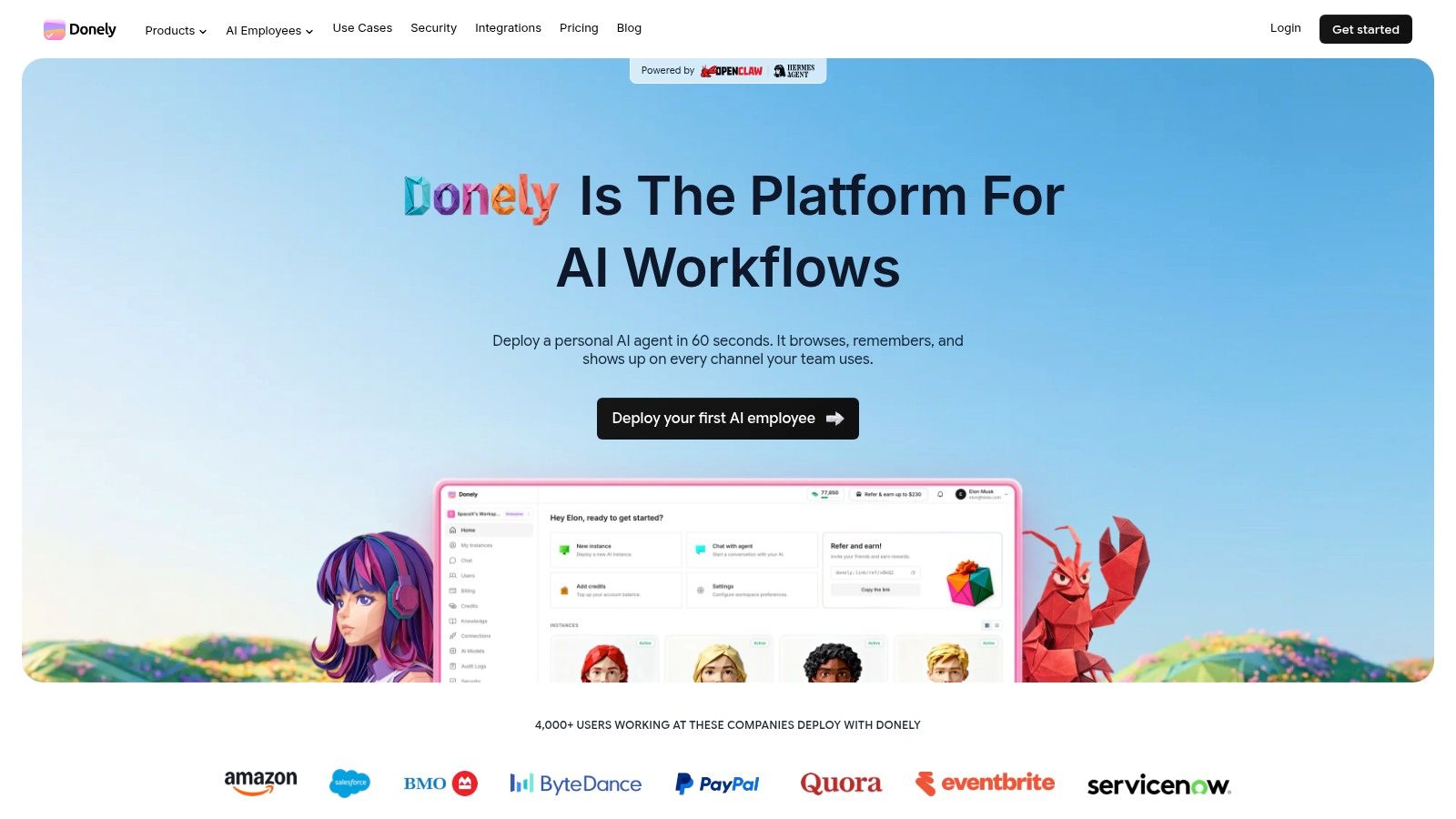
The second path is a managed platform that wraps the underlying agent framework into a hosted service. One example is Donely's Hermes agent, which is positioned for people who want to launch without assembling the infrastructure themselves. If you're comparing workflow-driven assistants with more traditional agent stacks, the guide to AI agent RAG pipelines is useful context because it shows where retrieval fits into a production system.
The third path is the lightest option, an API-only approach using GPT functions or basic RAG without a full agent runtime. That can work for simple chat flows, summaries, or narrow internal tools. It usually breaks down once you need coordinated actions, auditability, or a meaningful deployment model.
What to optimize for
Choose build-from-scratch when you need deep customization and already have the team to support it. Choose a managed platform when speed, governance, and lower operational overhead matter more than total control. Choose API-only when the assistant is small, bounded, and doesn't need to manage complex workflows.
The wrong move is choosing the path that sounds most impressive instead of the one that fits the actual job. If the assistant must connect to business systems, preserve access boundaries, and stay observable after launch, a managed architecture often wins because it reduces the number of things that can go wrong.
If you're already operating multiple workflows, the architecture decision becomes a security decision too. A platform with isolated instances, scoped access, and centralized monitoring is much easier to govern than a custom setup held together by scripts and manual discipline.
Write Prompts That Control Behavior
Prompts fail when they're written like invitations instead of contracts. A good assistant prompt doesn't just ask for help, it defines the job, names the boundaries, and tells the system what it must refuse to do. That's especially important when the assistant depends on retrieved knowledge, because vague instructions make hallucination more likely.
Start with one primary task
The first mistake is making the assistant general too early. If you ask it to “help with operations,” “answer customer questions,” and “draft internal docs” in one prompt, you've already lost control of behavior. A much tighter pattern is to define a single primary task, then add narrowly scoped secondary behaviors only after the core response shape is stable.
Clean source material matters just as much as the wording. Remove outdated, duplicate, and contradictory content before indexing, because bad context degrades outputs fast. If the assistant is supposed to answer from your documents, those documents need to be curated like production inputs, not dumped in as-is.
The assistant should know what it is allowed to do, what it must avoid, and when it should stop and ask for help.
The structure of the prompt matters too. Spell out allowed behaviors, forbidden behaviors, formatting rules, and escalation rules. If the assistant is supposed to summarize policy, say so directly. If it's not allowed to speculate, say that too.
Test prompts like a real user would
The best evaluation set includes normal requests, vague requests, risky requests, and out-of-scope prompts. That mix reveals whether the assistant is behaving like a governed system or just sounding polished when the input is easy. You can also split evaluation data into 70% training and 30% testing when you need a straightforward validation pass, or use 70% training, 20% validation, and 10% final testing when you want a more rigorous check before launch.
The point of those splits isn't the math itself, it's the discipline. The assistant shouldn't graduate to production because it felt good in a demo. It should move forward because it passed held-out prompts you didn't use while tuning it.
For teams that want a practical reference point, prompt engineering for enterprise AI is a useful companion because it reinforces the same enterprise pattern, boundaries first, then behavior tuning, then evaluation. Logging low-confidence responses from day one gives you the raw material for the next improvement cycle.
Connect Tools and Build Agent Logic
An assistant without tools is just a chat surface. Real value appears when it can search knowledge, send messages, update records, create tickets, and coordinate across the systems your team already uses. That's where assistant creation turns into workflow design.
Start with read-only access
The safest sequence is read-only first. Let the assistant retrieve, summarize, and classify before you let it write anything back to a system of record. That gives you visibility into its reasoning and exposes weak spots without risking damage to live data.
Once the assistant is reliable at reading and interpreting, add write tools with validation and explicit confirmation. If it's updating a CRM record, creating a Jira ticket, or sending a Slack message, it should verify the payload and ask for confirmation where mistakes would matter. Silent writes are how small failures turn into expensive ones.
The tool list should stay tied to a single workflow gap. Gmail, Slack, Notion, HubSpot, Salesforce, Jira, Zendesk, and Stripe are all common integration targets, but that doesn't mean every assistant needs all of them. Pick the systems that support one real job, then expand only when the assistant proves it can handle the first one reliably.
Keep the logic narrow before you scale it
Many teams overbuild. They connect five integrations on day one, then spend the next month debugging edge cases they didn't need to create. A better pattern is to build around one task, validate the logic in the smallest useful environment, and only then widen the scope.
If you're using a managed platform, the value is often in how much of this orchestration is already handled for you. Donely's Hermes API is one example of an interface meant to connect the assistant to external systems without forcing every team to invent its own runtime.
For operational teams, the most useful tool logic is boring in the best way. The assistant should know what data it can read, what actions require approval, and where it should stop. That discipline keeps the automation useful instead of unpredictable.
The same thinking shows up in agentic analytics platform insights, where the hard part isn't access alone, it's making sure the agent acts on the right context and stays observable when the workflow becomes real.

Deploy, Monitor, and Scale Responsibly
A prototype becomes a production assistant the moment real users rely on it. That shift exposes the shortcuts fast. Teams that start with broad access, weak logging, or unclear ownership usually spend more time cleaning up than improving the assistant. Safer rollouts begin with narrow scope, close measurement, and expansion only after the assistant has earned trust in real use.
Pilot before you broaden access
Start with a controlled pilot and a small group of real users working on actual tasks. That gives you clear signal on completion, accuracy, satisfaction, and whether the assistant saves time in the workflow it was built for. If the pilot is noisy, fix the failure points before more users inherit them.
Governance belongs in the pilot, not after it. Scoped data access, clear role boundaries, and audit trails need to exist from the start, especially if the assistant handles sensitive records or supports more than one client. Isolated instances are easier to manage than one shared setup full of exceptions, and they reduce the risk of one workflow exposing another.
Review Donely's security policy at security policy to see how isolated instances and scoped access are implemented in practice.
Scale the assistant only after the pilot shows it can perform the core task reliably under real conditions.
Multi-instance architecture is the practical answer to growth. Separate containers for each assistant, per-instance role-based access control, and unified audit logs keep the system understandable as usage expands. That matters for agencies, compliance-focused teams, and any organization that wants personal, business, and client workloads on the same platform without mixing data.
Govern the dashboard, not just the model
Monitoring should live in the operating view, not a forgotten spreadsheet or a side notebook. Centralized logs, usage, and billing make it possible to see how the assistant behaves across instances, and they make post-incident review much easier than reconstructing events after the fact. They also keep cost control and access management tied to the same place teams already look for operational decisions.
Platform design can remove a lot of friction here. Donely's multi-instance model, centralized monitoring, and isolated access boundaries fit teams that expect more than one assistant to exist at once, which becomes normal once a proof of concept turns into a real deployment. That setup is especially useful when different internal groups need different permissions, or when a client-facing assistant must stay separate from internal workflows.
A deployment process should also include review loops. Logs need to be examined, policies need to be updated, and risky behavior needs to be corrected before scale adds more noise. The assistant is not finished at launch, it is stable enough to learn from in production.
The video below reinforces the rollout logic in a compact format.
The Production-Ready Checklist
A production assistant is not defined by how polished it looks in a demo. It's defined by whether it can answer from reliable context, avoid unsafe behavior, and surface the failures you need to fix. If those controls aren't in place, the assistant is still a prototype.
Readiness signs that matter
The first benchmark is simple, the assistant needs to answer accurately from retrieved context on data-dependent topics. If it starts guessing, it's not ready for real users. The second benchmark is equally important, it needs to log low-confidence responses so the team can measure gaps and improve the system over time.
That logging requirement sounds small, but it's what turns deployment into an improvement loop. Without it, you only find problems when users complain. With it, you can see where the assistant is weak before those weak spots become workflow failures.
Use this checklist before launch
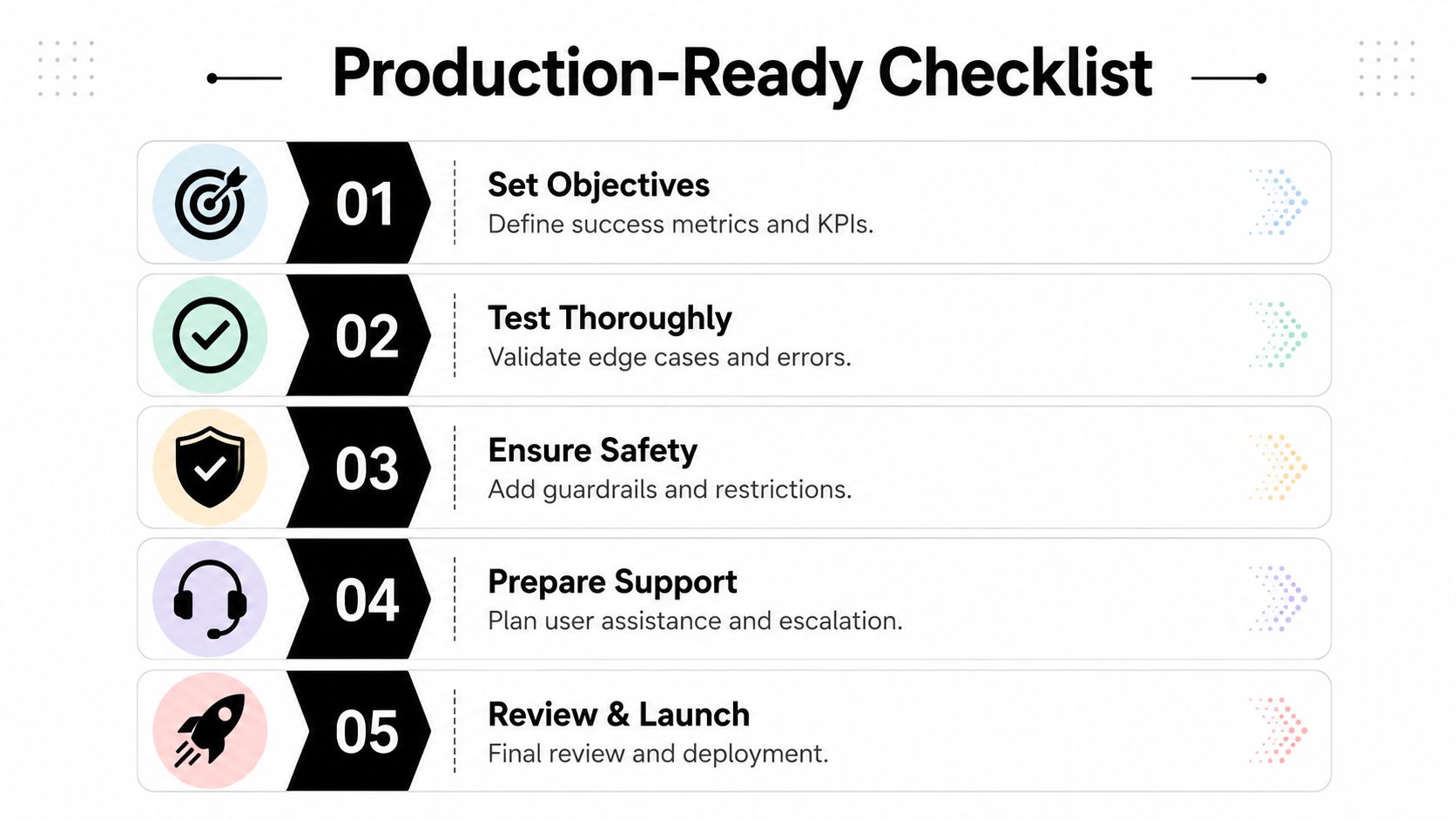
- Set objectives: Define the assistant's success criteria, the exact job it should handle, and the behaviors that count as acceptable.
- Test thoroughly: Run real prompts, edge cases, vague requests, and risky inputs before anyone outside the pilot uses it.
- Ensure safety: Add guardrails, access limits, and confirmation steps for any action that can change data or trigger external effects.
- Prepare support: Decide who handles escalation, what users should do when the assistant stalls, and how issues get reviewed.
- Review and launch: Confirm the assistant answers from retrieved context, logs low-confidence cases, and has a clear improvement loop.
The cleanest way to tell prototype from production is to ask one question. Can this assistant behave predictably when the input is messy and the stakes are real? If the answer is no, it needs more work before launch.
Frequently Asked Questions
Should I build custom or use a managed platform
Build custom when you need deep control and already have the engineering capacity to maintain it. Use a managed platform when the assistant needs to ship quickly, stay observable, and operate with less DevOps overhead. The deciding factor is not ideology, it's how much infrastructure they want to own.
How do I handle multiple assistants or client workloads
Use isolated instances with scoped access, separate logs, and role-based permissions per assistant. That setup keeps personal, internal, and client work from bleeding together, which is especially important for agencies and teams handling sensitive data. Shared everything looks simpler until you have to explain a mistake.
What governance controls do I actually need
At minimum, define allowed and forbidden behaviors, limit access to the right systems, log low-confidence responses, and require confirmation for write actions. If the assistant can act on business data, you also need clear escalation paths and a review process for failures. Governance is not a later-stage luxury, it's part of the build.
How long does it take to get from idea to production
It depends on scope, integrations, and how strict your controls are. A narrow assistant with clean documents and a few read-only tools can move much faster than a workflow-heavy system that writes back into several business apps. The fastest teams don't skip testing, they reduce complexity before launch.
If you want a faster path from workflow idea to governed deployment, Donely gives you a place to assemble the assistant, connect tools, and keep separate instances under control from one dashboard. Visit Donely to see how the platform fits the build, test, and scale workflow described here.