
A lot of teams arrive at the same point in their automation journey without planning to. They started with a few clean wins in Zapier. A form submission creates a CRM record. A Stripe payment sends a Slack alert. A Calendly booking updates a spreadsheet. Everything feels efficient until the business grows and the work itself changes.
Then the cracks show. Costs climb with every extra task. Workflows become fragile because every branch has to be defined in advance. The hardest work still sits with people because it requires reading, judgment, follow-up, and adaptation. The automation stack is moving data, but it isn't really doing work.
That's the core question behind OpenClaw vs Zapier. This isn't just a tool comparison. It's a decision about whether you want software that reacts to events or software that pursues goals. If your company is trying to build an AI workforce instead of just stitching apps together, that distinction matters more than any feature checklist.
A useful primer on the broader shift is how ThirstySprout explains AI automation. The practical takeaway is simple. Basic workflow automation handles handoffs. Agentic automation handles tasks that used to require a human operator.
Table of Contents
- Introduction Beyond Simple Automation
- High Level Overview of OpenClaw and Zapier
- Architecture and Deployment Models
- Integrations and Developer Workflows
- Security Scalability and Cost
- Real World Use Cases When to Use Each
- Recommendation The Donely Advantage for OpenClaw
Introduction Beyond Simple Automation
A growing services business usually hits its automation ceiling in a very specific way. Sales wants lead routing. Ops wants project creation. Support wants triage. Marketing wants enrichment and personalized follow-up. The first layer of automation works because the rules are simple. The next layer fails because the work is not.
Zapier was built for that first layer. It shines when a defined event in one app should trigger a defined action in another. That model is still valuable. In many companies, it's indispensable. But once your team wants software to investigate a lead, compare competitors, control a browser, or decide the next step based on what it finds, the old trigger-action pattern starts to feel too narrow.
OpenClaw enters at that exact moment. It changes the design question from “What should happen when event X occurs?” to “What outcome do we want this agent to achieve?” That sounds subtle, but operationally it's a different category of system.
Practical rule: If your team can diagram every step before the workflow runs, Zapier is usually the cleaner fit. If the system has to discover, interpret, or adapt mid-task, you're already in agent territory.
That's why OpenClaw vs Zapier shouldn't be framed as a winner-take-all replacement story. It's a strategic choice about your future operating model. One platform helps you automate software handoffs. The other helps you create digital workers that can handle messy, multi-step assignments with far less scripting.
High Level Overview of OpenClaw and Zapier
The fastest way to understand OpenClaw vs Zapier is to stop comparing them as if they do the same job. They don't.
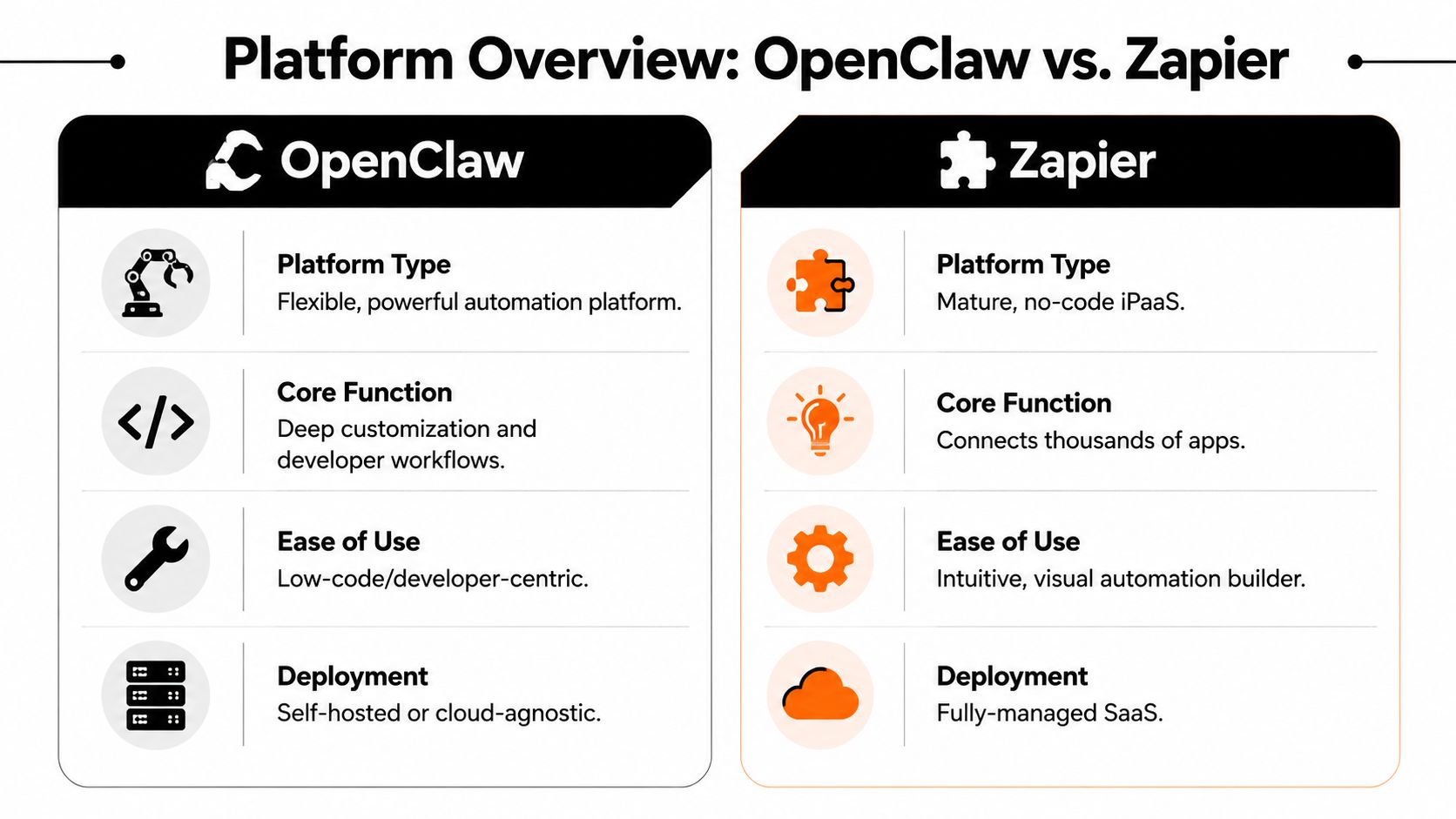
Zapier is best understood as an integration hub. It connects applications, listens for triggers, and runs predefined workflows. OpenClaw is closer to an AI agent framework. It takes a goal, uses tools, and works through the steps required to complete that goal.
Here's the high-level comparison most buyers need first:
| Category | Zapier | OpenClaw |
|---|---|---|
| Core identity | No-code integration platform | Autonomous AI agent framework |
| Operating model | Reactive | Proactive |
| Best for | Structured app-to-app workflows | Goal-driven, judgment-heavy work |
| Builder experience | Visual and no-code | Low-code and configuration-driven |
| Deployment style | Fully managed SaaS | Self-hosted or cloud-agnostic |
| Typical role | Data mover | Digital worker |
What Zapier is in practice
Zapier is a mature automation layer for teams that want reliable handoffs between business systems. It's especially strong when the apps already expose stable APIs and the process can be expressed as a sequence of known actions.
That's why non-technical teams like it. The mental model is straightforward. Connect the apps, define the trigger, map the fields, test the path, turn it on.
What OpenClaw is in practice
OpenClaw is better thought of as an operator, not a connector. Instead of waiting for “new row added” or “new email received,” it can take a goal and work across tools and browser interfaces to complete the assignment. That makes it useful for jobs that are difficult to hard-code.
For readers evaluating managed options around this ecosystem, Donely's OpenClaw platform is one example of how teams can operationalize OpenClaw without treating infrastructure as a side project.
Later in the evaluation, it helps to see the platforms discussed in action:
Zapier connects systems. OpenClaw performs work inside systems. That distinction drives everything else in this comparison.
Architecture and Deployment Models
Architecture is where the OpenClaw vs Zapier decision stops being theoretical. The capabilities, limits, and operating costs of each platform follow directly from how they're built.
According to Blink's OpenClaw vs Zapier comparison for 2026, Zapier is a reactive platform that waits for specific events to trigger predefined workflows across 9,000+ integrated SaaS applications, while OpenClaw is a proactive, open-source autonomous AI agent framework that accepts a high-level goal, then independently plans, executes, and reports on multi-step actions across tools and browsers. The same analysis argues that Zapier excels at predictable, high-volume data transfers, while OpenClaw is stronger for tasks requiring judgment and adaptability.
Zapier works like middleware
Zapier sits between apps and waits. A trigger occurs. The workflow fires. Each step is predefined. If your process is linear and the endpoints are known, this is exactly what you want.
That design gives Zapier a few practical advantages:
- Clear execution paths mean operations teams can reason about what will happen before anything runs.
- Stable API-first behavior reduces ambiguity. If App A sends a field and App B expects a field, the transaction is usually straightforward.
- Centralized SaaS management removes hosting and maintenance work from the customer side.
That's why Zapier remains such a good fit for mature operational plumbing. It handles routine process transfer cleanly.
OpenClaw works like an agent runtime
OpenClaw starts from a different assumption. Instead of requiring every branch to be mapped in advance, it begins with a goal and uses reasoning to decide how to proceed. It can work across tools and browser interfaces, which matters when real business work spills outside clean API boundaries.
In practice, this changes the kind of work you can automate:
- Unstructured tasks such as researching competitors, reviewing inbound leads, or compiling summaries become realistic.
- UI-based execution matters when the target system has weak API coverage, inconsistent exports, or legacy web flows.
- Adaptive behavior lets the agent recover from small interface changes or unexpected inputs that would break rigid workflows.
The moment your process requires software to decide what to do next based on what it just learned, you're outside classic workflow automation.
Deployment changes who carries the burden
Zapier's deployment model is simple. It's managed SaaS. The vendor handles uptime, patches, and platform operations. That simplicity is part of the value.
OpenClaw is more flexible. You can self-host it, place it in infrastructure you control, or use a managed environment built around the framework. That flexibility is powerful, but it also shifts responsibility. Someone has to think about runtime management, access control, monitoring, and agent governance.
For technical teams, that trade can be worth it because they gain much more control over how agents behave and where data lives. For non-technical teams, unmanaged OpenClaw can feel like too much platform surface area.
The strategic implication
The architecture decision is really a workforce design decision.
Choose Zapier when you want a dependable event router between software systems. Choose OpenClaw when you want software that can operate more like a junior analyst, coordinator, or researcher. They can coexist, but they shouldn't be treated as interchangeable.
Integrations and Developer Workflows
Most evaluations of OpenClaw vs Zapier get stuck on connector counts. That matters, but it's only part of the story. The bigger practical difference is how teams build and maintain work.

Zapier favors predefined integrations
Zapier's builder is optimized for speed. If the apps you care about are supported, you can stand up useful workflows fast. That's a real advantage for operations, marketing, finance, and customer teams that need automations without developer involvement.
The trade-off is that the integration defines the possible action space. You work within the trigger and action schema that Zapier and the connected apps expose.
A practical example is Jira. If your workflow mostly involves issue creation, status updates, notifications, and standard handoffs, a structured integration approach is exactly right. Teams dealing with that kind of process often benefit from implementation references like Vulnsy for Jira workflow automation, because it shows how much value exists in getting the event flow right before chasing anything more advanced.
OpenClaw favors tool use over connector catalogs
OpenClaw is less about having a native tile for every app and more about giving the agent useful capabilities. Browser access, API calls, and goal-driven execution let it work with systems that don't fit neatly into prebuilt integration libraries.
That creates a different development workflow. Instead of drawing a deterministic flowchart, you define objectives, boundaries, tool access, and review points. The result feels less like integration setup and more like agent design.
For teams mapping the ecosystem around app connectivity, Donely integrations gives a sense of how managed agent platforms are trying to close the gap between agent flexibility and business-system access.
What builders experience day to day
According to Cubitrek's architectural comparison of OpenClaw, n8n, and Zapier, Zapier operates as a reactive, API-centric middleware across 6,000+ SaaS applications, while OpenClaw functions as a proactive, UI-level autonomous agent framework that initiates tasks based on high-level goals. The same comparison notes that Zapier is optimized for predictable “if X, then Y” logic, whereas OpenClaw is designed for “achieve goal Z” workflows where the agent must plan, adapt, and self-correct.
That distinction shows up immediately in delivery work:
- With Zapier, builders spend time on field mapping, branching logic, filters, and ensuring each app step returns the exact expected structure.
- With OpenClaw, builders spend more time on prompts, tool permissions, fallback behavior, and defining what good output looks like.
- With Zapier, maintenance usually means adjusting mappings when app schemas change.
- With OpenClaw, maintenance often means refining instructions and boundaries so the agent behaves consistently in edge cases.
If your team wants point-and-click integrations, Zapier feels natural. If your team wants programmable labor, OpenClaw is the more honest abstraction.
Security Scalability and Cost
Security, scalability, and cost are operational realities that shape the choice between OpenClaw and Zapier. They also expose the bigger strategic question: are you paying for event routing, or are you building an AI workforce that can take on larger chunks of operational work over time?
Cost models reward different behavior
Zapier prices automation as metered execution. That works well when workflows are narrow, predictable, and tied to app events. You can launch quickly, hand the platform to an operations team, and avoid running any infrastructure yourself.
The trade-off shows up as usage grows. According to Zapier's comparison of OpenClaw and Zapier, Zapier's pricing increases with task volume, which means a successful workflow can become materially more expensive as adoption spreads across teams. For current managed-agent pricing patterns, the Donely pricing page is a useful reference point because it frames cost around deployed agent capacity rather than simple trigger counts.
OpenClaw follows a different cost logic. The same Zapier comparison notes that self-hosted OpenClaw has no licensing fee and no per-task cap. Spend shifts to infrastructure, model usage, monitoring, and the engineering time required to keep the system reliable.
That distinction matters in practice. Zapier encourages teams to minimize unnecessary runs. OpenClaw encourages teams to control runtime efficiency, model selection, and failure handling. One model charges for transactions. The other charges for operating capability.
Security depends on who controls the runtime
Zapier gives you a vendor-managed control plane. For many companies, that is the right answer. Security reviews are simpler when the platform is standardized, centrally managed, and limited to approved SaaS integrations.
OpenClaw gives you more freedom and more responsibility. You can place agents in isolated environments, restrict network access, choose where data is processed, and align the runtime with internal security policy. You also need engineering discipline. Access controls, secret management, logging, patching, and incident response do not come bundled with self-hosting.
I usually frame this as a governance decision.
If the company wants automation with minimal operational ownership, Zapier is easier to approve. If the company wants agents that interact with websites, reason across messy inputs, and operate inside tighter infrastructure boundaries, OpenClaw can fit better, but only if someone owns the platform.
| Concern | Zapier | OpenClaw |
|---|---|---|
| Infrastructure ownership | Vendor-managed | Team-managed or managed by host |
| Cost scaling | Task-based | Resource-based |
| Best scaling pattern | Predictable transfers | High-volume agent work |
| Security posture | Centralized SaaS controls | Depends on deployment and operations |
Scalability means different things for middleware and agents
A lot of teams use the word "scalable" when they mean two separate things.
The first is throughput. More leads, more tickets, more form submissions, more app-to-app handoffs. Zapier handles that pattern well because the workflow is already defined and the main question is how often it runs.
The second is labor expansion. More research, more judgment calls, more exception handling, more tasks that do not fit neatly into a fixed decision tree. OpenClaw is better aligned with that kind of scale because you are adding software workers that can pursue goals, adapt to changing interfaces, and complete broader units of work.
That is the architectural divide. Zapier scales a process you already understand. OpenClaw scales a new operating model where AI agents do work that previously needed a person or a brittle collection of scripts.
For recurring app syncs, Zapier stays efficient. For agentic workflows that run often and handle variable inputs, per-task pricing can turn into a tax on success. Companies choosing between them are not only comparing tools. They are deciding whether automation remains reactive middleware or becomes part of the company's future AI workforce.
Real World Use Cases When to Use Each
The cleanest way to decide OpenClaw vs Zapier is to stop comparing abstract features and compare actual jobs.
Lead management
A typical Zapier workflow can take a new Facebook Lead Ads submission, create a contact in HubSpot, notify Slack, and assign a task in a project tool. That's useful. It's fast to configure. It's also bounded by the fields and branches you defined.
OpenClaw handles a different version of the same business problem. Instead of only routing the lead, it can research the company, inspect the prospect's website, look for relevant context, summarize fit, and prepare a more informed handoff for a salesperson. One system passes the lead along. The other helps qualify it.
Competitive monitoring
The dividing line is clear. Zapier is not the right primary system for “check competitor websites, identify pricing or messaging changes, and summarize what matters.” That job depends on browsing, interpreting, and adapting.
OpenClaw is built for that style of work. A practical agent brief might be:
- Monitor target sites for visible changes in offers, pricing language, or product packaging.
- Compare findings against a prior baseline or notes from previous runs.
- Deliver a digest to Slack or email with a concise summary and recommended follow-up.
Customer support operations
Zapier works well when support needs deterministic routing. If ticket subject contains a keyword, add a tag. If a form is submitted, create a record. If a refund is issued, notify finance.
OpenClaw becomes relevant when support work depends on interpretation. It can review a ticket, infer intent, search the knowledge base, and draft a response for a human to approve. That doesn't replace a help desk. It changes how much first-pass cognitive work the team must do manually.
Content and research tasks
Zapier can move approved content between a spreadsheet, CMS, and scheduler. It's useful after the hard thinking is done.
OpenClaw helps with the hard thinking. It can gather inputs, synthesize findings, produce a first draft, and adapt the output to a specific objective. That's not just automation. That's delegated knowledge work.
Recommendation The Donely Advantage for OpenClaw
A lot of teams reach the same decision point after they have already automated the obvious work. Zapier is handling form submissions, record updates, and notifications. The next queue is harder. Competitive checks, support triage, research, and follow-up all require judgment. That is the point where the choice stops being "which automation tool should we buy" and becomes "what kind of AI workforce are we building."
Zapier remains a solid choice for reliable app-to-app automation. It is mature, fast to deploy, and well suited to structured handoffs between systems. If the process is deterministic and the steps are clear, keeping Zapier in the stack is usually the right call.
OpenClaw addresses a different layer of work. It is a better strategic fit when the goal is not just to react to a trigger, but to assign an outcome to an agent and let it work through ambiguity. In practice, that means handling tasks that involve investigation, interpretation, adaptation, and follow-through across multiple steps.
The trade-off is operational complexity. OpenClaw gives you far more flexibility than a trigger-based tool, but self-hosting and runtime management add real overhead. Teams need to manage environments, agent behavior, and reliability in production. Managed OpenClaw infrastructure reduces that burden and makes the platform usable for operations teams that want agent capability without building an internal platform around it.
The practical recommendation
For many organizations, the strongest architecture is a split model:
- Keep Zapier for deterministic process plumbing between business apps.
- Adopt OpenClaw for judgment-heavy, multi-step work that breaks under rigid trigger logic.
- Use a managed platform if you want agent execution without taking on self-hosting and DevOps overhead.
That approach maps cleanly to how companies operate. Structured transactions stay in fixed workflows. Cognitive work moves to agents, with human review where risk or policy requires it.
The Importance for the Next Phase of Automation
Companies getting real value from AI are not just attaching chat interfaces to old processes. They are redesigning operations around three layers of execution: people, deterministic automations, and agents.
Zapier fits the deterministic layer. OpenClaw fits the agent layer. Treating them as interchangeable leads to bad architecture decisions, especially when leadership expects AI to take on work that requires initiative instead of simple routing.
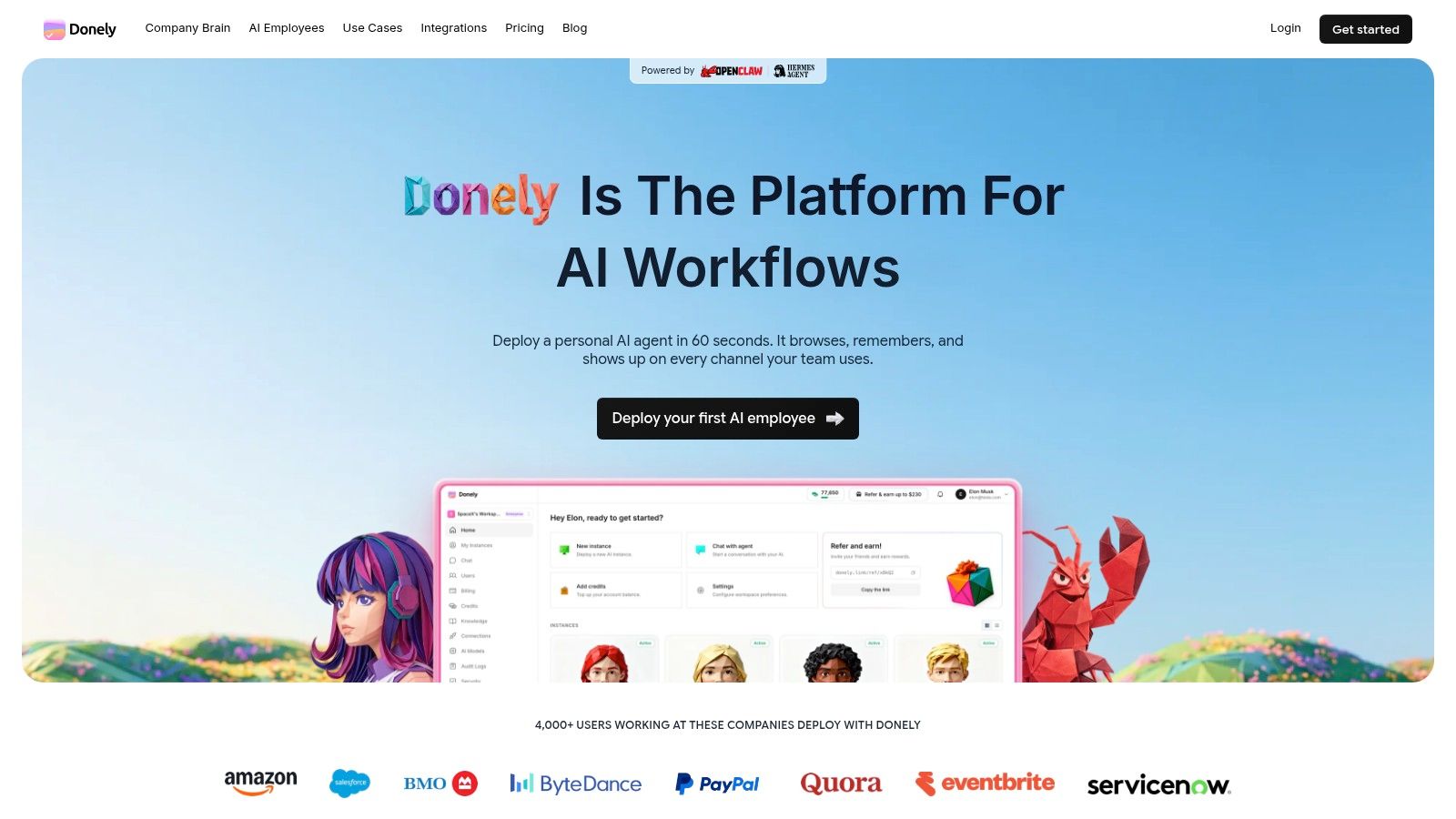
If you're ready to move beyond brittle trigger chains and start deploying AI employees in a managed environment, Donely gives you a practical path to run OpenClaw-powered agents without the DevOps burden. It's a strong fit for founders, agencies, and operations teams that want isolated instances, centralized oversight, and a cleaner way to scale an AI workforce.