
Finding a platform that lets you run many client instances without juggling separate logins is a pain point for founders, agencies, and SMBs. You need isolation, a single pane of glass, and fast provisioning. In this article we break down the most capable multi‑tenant SaaS platforms that let you spin up separate client environments on one dashboard, and we show how each one stacks up on security, integrations, and cost.
By the end you’ll know which tool fits your workflow, why speed matters, and how to evaluate the trade‑offs between integration breadth and tenant governance.
1. Enterprise-Grade Multi-Tenant CRM Platform
This platform remains the backbone for many B2B teams that need a strong CRM and a true multi‑tenant architecture. Its cloud core serves millions of users from a single codebase, yet each org lives in a logically isolated space. That means you can create a separate “instance” for every client, assign its own data model, and keep the data siloed without extra infrastructure.
Key capabilities include:
- Per‑org data isolation with row‑level security.
- Built‑in role‑based access control (RBAC) that lets you define who sees what in each client org.
- A marketplace with over 5,000 integrations, so you can connect to finance, marketing, and support tools without custom code.
For agencies, the ability to spin up a new org in a few clicks cuts onboarding time dramatically. Imagine you land a new client and need a CRM ready by the next day. With this platform you can clone a template org, adjust the branding, and hand off the login, all while keeping the client’s data separate from your other accounts.
Pros include unmatched ecosystem depth, strong compliance certifications (SOC 2, ISO 27001), and a global support network. Cons are higher licensing costs and a steeper learning curve for customizations.
This platform also offers a unified monitoring console where admins can view usage, API calls, and security events across all orgs. That central view mirrors what Donely does for AI agents, but at a larger enterprise scale.
AI Employee Agent Hosting: Top 10 Platforms for 2026 – Donely discusses why agencies value a single‑pane dashboard when juggling many client workloads.
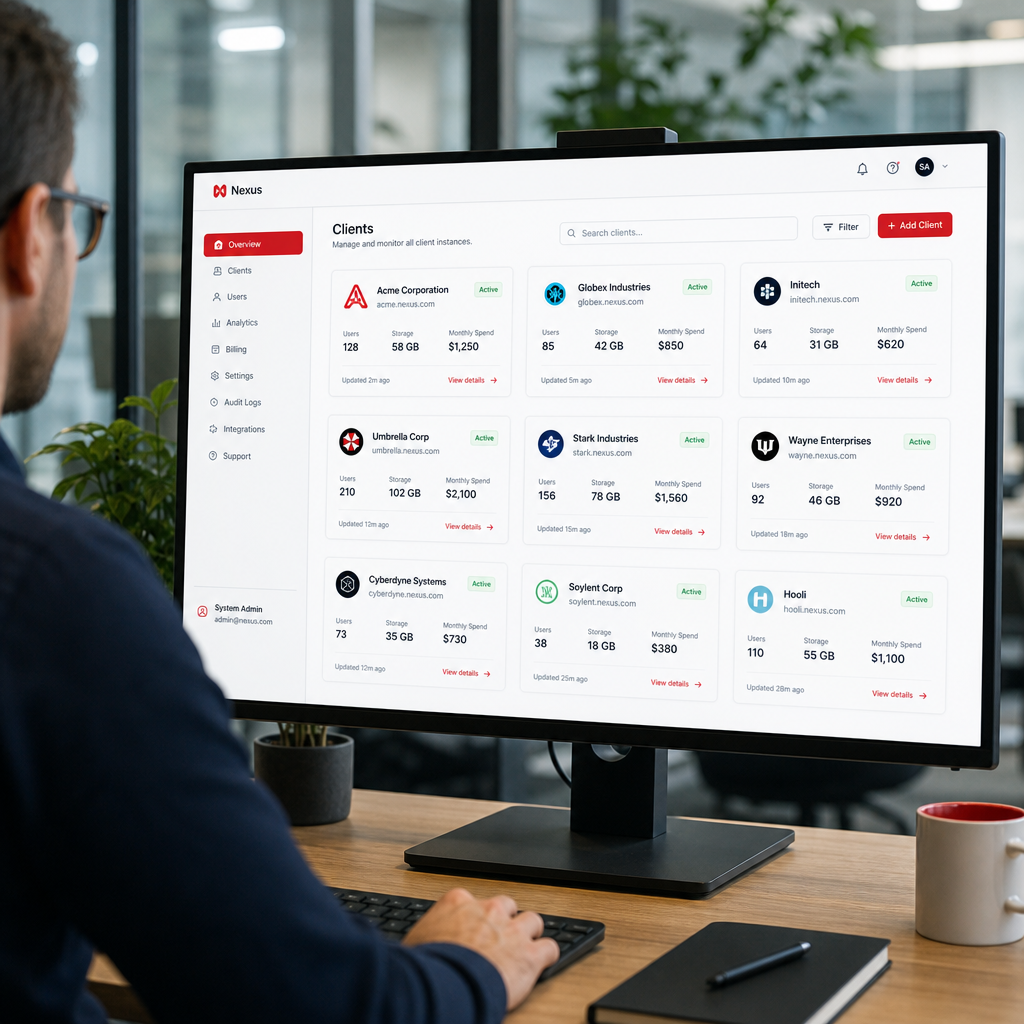
Key Takeaway: This platform gives you deep integration options and enterprise‑grade security, but its price tag can be steep for small agencies.
2. All-in-One Multi-Tenant Marketing & Sales Platform
This platform bundles marketing, sales, and service tools into a single cloud suite that runs on a multi‑tenant core. Each “hub” acts as an isolated tenant, letting you keep a client’s contacts, emails, and reports separate from others.
The platform’s definition of tenancy matches the industry standard: a shared codebase with logical isolation per tenant. This model lets you scale quickly because new hubs reuse the same infrastructure, cutting deployment time to minutes.
Its strengths lie in its built‑in templates, lead scoring, and a strong CRM that doesn’t require a separate purchase. For agencies, the ability to clone a hub, rebrand it, and assign team members with granular permissions is a major time saver.
Here’s a quick look at what matters for multi‑tenant use:
- Isolation: Each hub has its own database schema, ensuring data can’t bleed between clients.
- RBAC: Per‑hub roles let you give a client read‑only access while your team retains full control.
- Integrations: Over 500 native connectors, plus a marketplace for custom integrations.
The platform also publishes an official guide on tenancy that explains the security model in detail. According to a leading SaaS blog, multi‑tenant SaaS reduces costs because resources are shared, and updates roll out to all hubs at once, keeping you on the latest features without manual patches.
Pricing starts at a free tier for basic CRM, but to unlock multi‑hub management you’ll need the Marketing Hub Enterprise plan, which runs on a per‑hub basis. This can be cost‑effective for agencies that need a handful of clients, but costs rise quickly with many hubs.
The 10 Best AI Agents & Platforms for 2026 – Donely highlights how a unified dashboard can simplify multi‑client operations, a point this platform shares with its hub‑level view.
Pro Tip: Use the platform’s “Clone Hub” feature to copy a fully configured environment for a new client, then swap out branding and domain settings.
3. Multi-Tenant Ecommerce Platform for Merchants
Multi-tenant ecommerce platforms power millions of online stores, and their architecture lets each store run as a separate tenant on the same platform. That means you can spin up a brand‑new storefront for a client in under five minutes, with its own product catalog, checkout flow, and payment gateway.
For agencies that manage ecommerce for several brands, a multi‑tenant design offers clear advantages:
- Store isolation: Every store has its own database, so a breach in one store doesn’t affect another.
- App ecosystem: A wide range of apps let you add analytics, loyalty programs, and shipping integrations without custom development.
- Unified admin: The partner dashboard lets you see all client stores, manage billing, and assign staff roles per store.
The platform also provides a “staff accounts” feature that works like per‑instance RBAC, letting you give a client admin rights to only their store while you retain super‑admin access across the portfolio.
One usable example: an agency onboarding three fashion brands can create three stores, each with its own theme and payment method, then use the central dashboard to track revenue, app usage, and support tickets in one place.
Drawbacks include limited customization of the checkout flow unless you move to a higher-priced tier, and transaction fees that add up for high‑volume merchants.
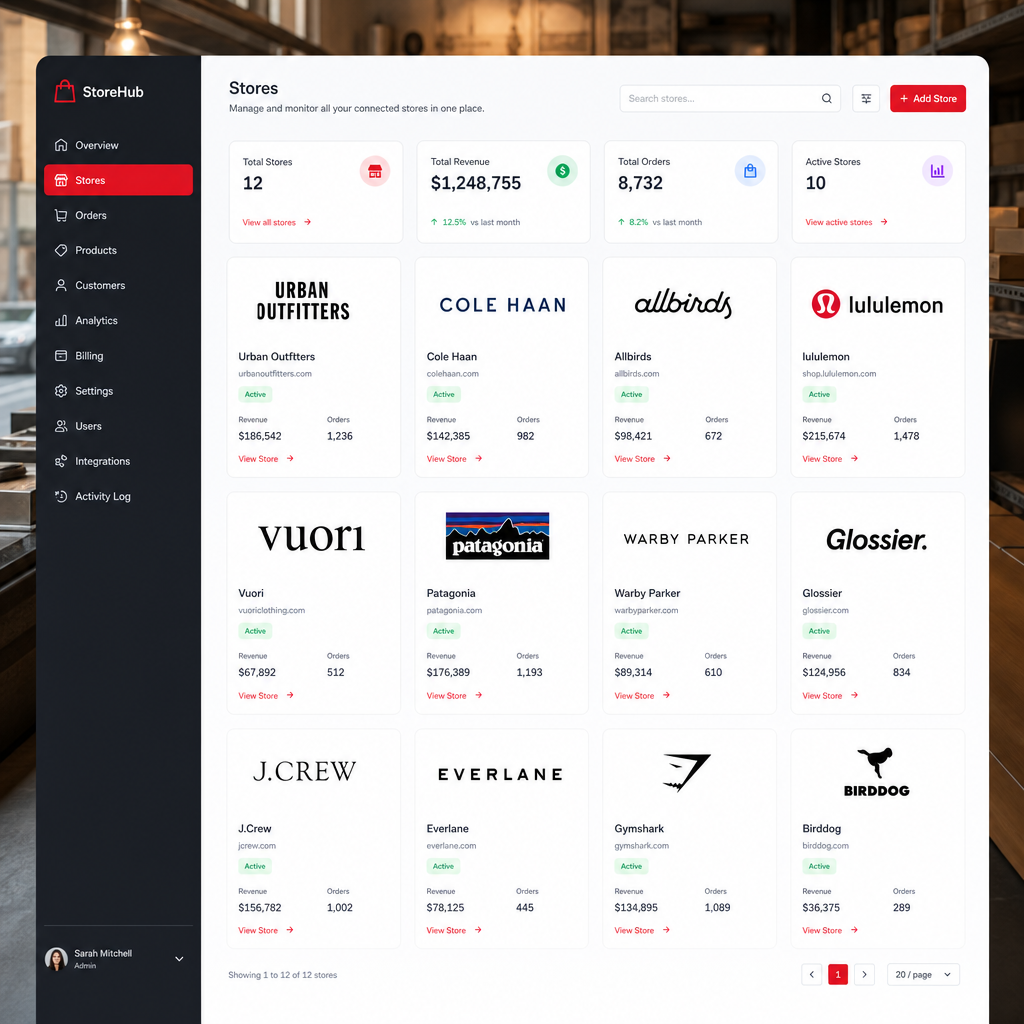
Key Takeaway: This platform shines for quick store launches and a massive app marketplace, but deep checkout customization may require the higher-priced tier.
4. Scalable Multi-Tenant Customer Support Solution
The support suite is built on a single codebase that serves many “instances” called “organizations.” Each organization can have its own ticket queue, custom fields, and automations, keeping client data isolated.
The platform’s official guide explains the trade‑offs of using one instance vs. multiple instances. It notes that a single instance simplifies reporting but can make permission management complex when you have very different processes across teams. By contrast, multiple instances give you full control over global settings, business rules, and integrations per client.
Key features for multi‑tenant use:
- Per‑organization RBAC that lets you assign agents to specific client tickets only.
- Dedicated API tokens per organization, helping you keep each client’s third‑party integrations separate.
- Unified analytics that aggregate metrics across all organizations for a high‑level view.
Imagine you run a support agency handling three SaaS products. With this platform you can give each product its own organization, set up custom ticket forms, and let each client see only their own tickets. All the while, you monitor SLA compliance from a single admin console.
Pros: strong ticket automation, extensive knowledge‑base tools, and a mature ecosystem. Cons: the UI can feel heavy for small teams, and pricing is per‑agent, not per‑organization, which can add up.
Hosting for AI Agents: Manage Multiple Instances, Zero … – Donely illustrates how a unified dashboard can cut down the overhead of handling many client workloads.
Pro Tip: Use the platform’s “Organization Scoped Views” to create client‑specific ticket dashboards that surface only the tickets relevant to that client.
5. Multi‑Tenant Business Software Suite
The platform bundles CRM, support, and marketing tools under a shared system, with each product supporting separate “accounts” that act as tenants. This lets you run a support desk, CRM, and marketing campaigns for different clients without cross‑talk.
What makes the suite appealing for agencies is its easy‑to‑use UI and flat pricing model. Each account gets its own data store, and you can assign agents to specific accounts via role‑based permissions.
Key capabilities:
- Per‑account data isolation for contacts, tickets, and campaigns.
- Integrated suite: move a lead from CRM to support desk without leaving the platform.
- Marketplace with over 500 native integrations, covering email, chat, and phone.
From a usable standpoint, an agency can create a CRM account for each client, link it to a matching support desk, and then use marketing automation to run email flows, all while tracking usage in a single admin console.
One downside is that deep customizations (e.g., custom objects) are limited to higher‑tier plans, and the API rate limits can become a bottleneck when you manage many high‑traffic clients.
The platform also provides a marketplace where you can add AI‑powered bots, a feature that aligns with the trend of AI agents that Donely promotes.
Pro Tip: Use the platform’s “Team Management” feature to set per‑account admin roles, keeping client data siloed while you retain oversight.
6. Multi‑Tenant Productivity Suite for Teams
A multi‑tenant productivity suite isn’t a traditional SaaS platform for client‑facing apps, but its admin console lets you manage multiple “domains” that act as separate tenants. Each domain has its own email, file storage, and calendar, keeping client data isolated while you retain a single billing relationship.
For agencies that need to provide collaboration tools to each client, the suite’s domain delegation offers a clean solution. You can create a domain for a client, set up user accounts, and enforce per‑domain security policies.
Important features include:
- Domain‑level admin roles for granular permission control.
- Unified audit logs across all domains, helping you meet compliance requirements.
- Built‑in integration with third‑party apps via the app marketplace.
A real‑world scenario: a marketing agency runs campaigns for three brands. Each brand gets its own domain, with separate file storage folders for assets, its own email address, and a shared calendar for campaign dates. The agency admin can view usage reports across all three domains from the admin console.
The downside is that the suite doesn’t provide a native app marketplace for industry‑specific SaaS tools, so you’ll often need to rely on third‑party connectors.
AI Employee Agent Hosting: Top 10 Platforms Compared points out that a unified dashboard for many client instances, like the suite’s admin console, is a key efficiency driver.
Key Takeaway: The suite offers strong collaboration and security across multiple domains, but you’ll need additional SaaS tools for specialized client workflows.
How to Choose the Right Multi‑Tenant SaaS Platform
Picking a platform isn’t just about feature lists. You need to match the tool to your workflow, security posture, and growth plan.
Assess isolation needs
Ask yourself how strict the data separation must be. If you handle regulated data (e.g., health or finance), you’ll want a platform that offers per‑instance RBAC, audit logs, and air‑gapped containers. Donely’s own research shows that only one out of 22 surveyed platforms offered true native multi‑tenant architecture with a unified dashboard, highlighting how rare solid isolation is.
Consider integration breadth vs. governance
More integrations sound great, but if they come without tenant‑level controls you risk accidental data leakage. The research notes a trade‑off: the platform with the most integrations (400+) lacked multi‑tenant support, making it less suitable for agencies that need both breadth and governance.
Evaluate deployment speed
Speed matters when you sign a new client. Platforms that promise sub‑minute launches (e.g., Donely) let you get a live instance before the client’s kickoff call ends. Others that need 2, 5 minutes add friction to the sales cycle.
Check pricing model
Look for per‑instance pricing that scales with volume. A flat‑rate per‑user model can balloon as you add more client instances. Donely’s per‑instance pricing with volume discounts keeps costs predictable for agencies.
Test the admin experience
Spend a few hours in the demo console. Can you see all client instances at once? Do you have a single billing view? Does the UI let you assign roles per tenant? A unified dashboard reduces operational overhead dramatically.
When you line up these criteria, the platform that checks the most boxes for your specific needs will emerge as the clear choice.
FAQ
What is a multi‑tenant SaaS platform for multiple client instances?
A multi‑tenant SaaS platform lets you run separate client environments, called tenants or instances, on the same underlying software and infrastructure. Each tenant’s data, settings, and users stay isolated, while you manage them all from a single dashboard. This model saves cost, simplifies scaling, and reduces the operational load of maintaining many independent servers.
How does tenant isolation work technically?
Most platforms add a tenant identifier to every database row and enforce row‑level security (RLS) policies. Some go a step further with separate schemas or even separate databases per tenant. The goal is that a query for tenant A never returns data belonging to tenant B. This logical isolation is what the research calls “native multi‑tenant architecture.”
Can I customize each tenant’s workflow?
Customization is usually limited to configuration settings that the platform exposes globally, such as branding, custom fields, or automation rules. Deep code changes that affect only one tenant are rare in pure multi‑tenant SaaS because they could impact the shared codebase. If you need heavy custom logic per client, look for platforms that support per‑tenant scripting or hybrid models.
Is a multi‑tenant setup more secure than single‑tenant?
Security depends on implementation. Multi‑tenant SaaS can be very secure when it uses strong RBAC, audit logs, and encrypted storage per tenant. The advantage is that the provider handles patching and hardening for all tenants at once, reducing the chance of an unpatched single tenant becoming a weak point.
What about compliance (GDPR, HIPAA) for multi‑tenant platforms?
Look for certifications on the vendor’s site. Platforms that advertise HIPAA‑ready or GDPR‑compliant status usually have per‑tenant audit logs and data residency controls. Donely, for example, offers SOC 2 in progress and GDPR‑ready features across its multi‑instance architecture.
How do pricing models differ between platforms?
Some charge per user, others per tenant, and a few use a flat‑rate subscription. Per‑tenant pricing aligns with agency billing because you can match a client’s cost to its instance. Beware of hidden fees for extra integrations or API calls that can add up as you scale.
Can I migrate away from a multi‑tenant platform if needed?
Most vendors provide export tools for contacts, tickets, and analytics. Because each tenant’s data lives in its own logical container, you can usually pull a client’s data without pulling the rest. However, check the vendor’s data‑ownership policy to ensure you can export in a usable format (CSV, JSON, etc.).
Do all SaaS tools support true multi‑tenant architecture?
No. The research shows only 32% of surveyed platforms mention any multi‑tenant architecture, and only one (Donely) confirms native support with a unified dashboard. Many products use “isolated environments” loosely, which may still share some resources or lack a central admin view.
Conclusion
Choosing the right multi‑tenant SaaS platform hinges on three pillars: isolation, integration depth, and speed of provisioning. Some platforms lead on ecosystem breadth, others balance ease of use with solid tenant isolation, some excel for ecommerce, several offer strong support features, some give an all‑in‑one suite, and still others provide domain‑level separation for collaboration.
If you need a platform that truly blends fast, per‑instance deployment with a single pane of glass, Donely stands out as the only solution that checks every high‑value box, native multi‑tenant architecture, unified dashboard, 800+ integrations, and sub‑minute launch times. Start a free trial today and see how quickly you can spin up isolated client instances without wrestling with separate logins or custom DevOps pipelines.