
You've probably already seen the easy version of OpenClaw WhatsApp setup.
Spin up a server. Scan a QR code. Send yourself a test message. Watch the bot reply once. Declare victory.
That's the part that misleads people. The first reply is not the hard part. The hard part is keeping the agent connected when the linked device changes, when someone used a founder's personal number for “just testing,” when the session goes stale, or when nobody remembers who owns the WhatsApp account tied to production.
A working WhatsApp agent is a small infrastructure system. Treat it that way from day one and the setup stays boring. Treat it like a quick chatbot demo and it eventually breaks at the worst possible moment.
Table of Contents
- Beyond the Demo From Idea to a Reliable WhatsApp Agent
- Prerequisites and Strategic Choices Before You Start
- Generating Your WhatsApp Channel Credentials
- Connecting WhatsApp to Your Donely Agent
- Testing Troubleshooting and Securing Your Connection
- Conclusion Scaling Your AI Workforce on WhatsApp
Beyond the Demo From Idea to a Reliable WhatsApp Agent
Most failed WhatsApp agent projects don't fail because the model is bad. They fail because the deployment was treated like a side experiment.
A founder wants lead qualification on WhatsApp. Or an ops team wants an internal assistant that can respond from the same chat surface people already use. Somebody gets OpenClaw running, pairs a device, tests one message, and assumes the hard part is over. A week later the phone used for linking is unavailable, the wrong number owns the session, or nobody can say who's allowed to change the channel config.
That's why OpenClaw matters here. It isn't framed as a one-off chatbot widget. OpenClaw is positioned as a self-hosted gateway connecting major chat channels like Discord, Slack, Telegram, and WhatsApp to AI agents, and real deployments treat WhatsApp as a managed infrastructure use case with QR-based pairing, dedicated numbers, and persistent gateway operation for always-on assistants, as described in the OpenClaw start documentation.
The real job is operating an AI employee
Once you look at WhatsApp as an operating channel, the setup decisions change.
You stop asking, “How do I connect a bot?”
You start asking:
- Who owns the number
- Who can relink the session
- Where does the gateway run
- How do we restrict inbound access
- What breaks when the original operator leaves
Those are production questions. They matter more than prompt wording.
Practical rule: If the WhatsApp number isn't clearly owned by the business and documented, it isn't production-ready.
For teams that want less infrastructure work, one managed option is Donely AI employees, which packages OpenClaw-style agent deployment into isolated instances instead of making you operate the whole stack manually. That matters when your goal is a reliable agent, not another internal DevOps project.
What works and what doesn't
What works is boring on purpose. Dedicated number. Clear ownership. Controlled pairing. Stable hosting. Basic governance.
What doesn't work is using a founder's personal WhatsApp account “for now,” letting multiple people share setup responsibility informally, and assuming QR pairing is a one-time ceremony. It isn't. It's the beginning of session management.
Prerequisites and Strategic Choices Before You Start
A lot of WhatsApp failures start before OpenClaw is even installed.
A founder grabs a personal number, a contractor handles the first QR link, the agent works for a week, then the session drops and nobody knows who owns recovery. That is the pattern to avoid. The setup that lasts is the one with clear ownership, a deliberate provider choice, and a hosting plan that can survive normal business turnover.
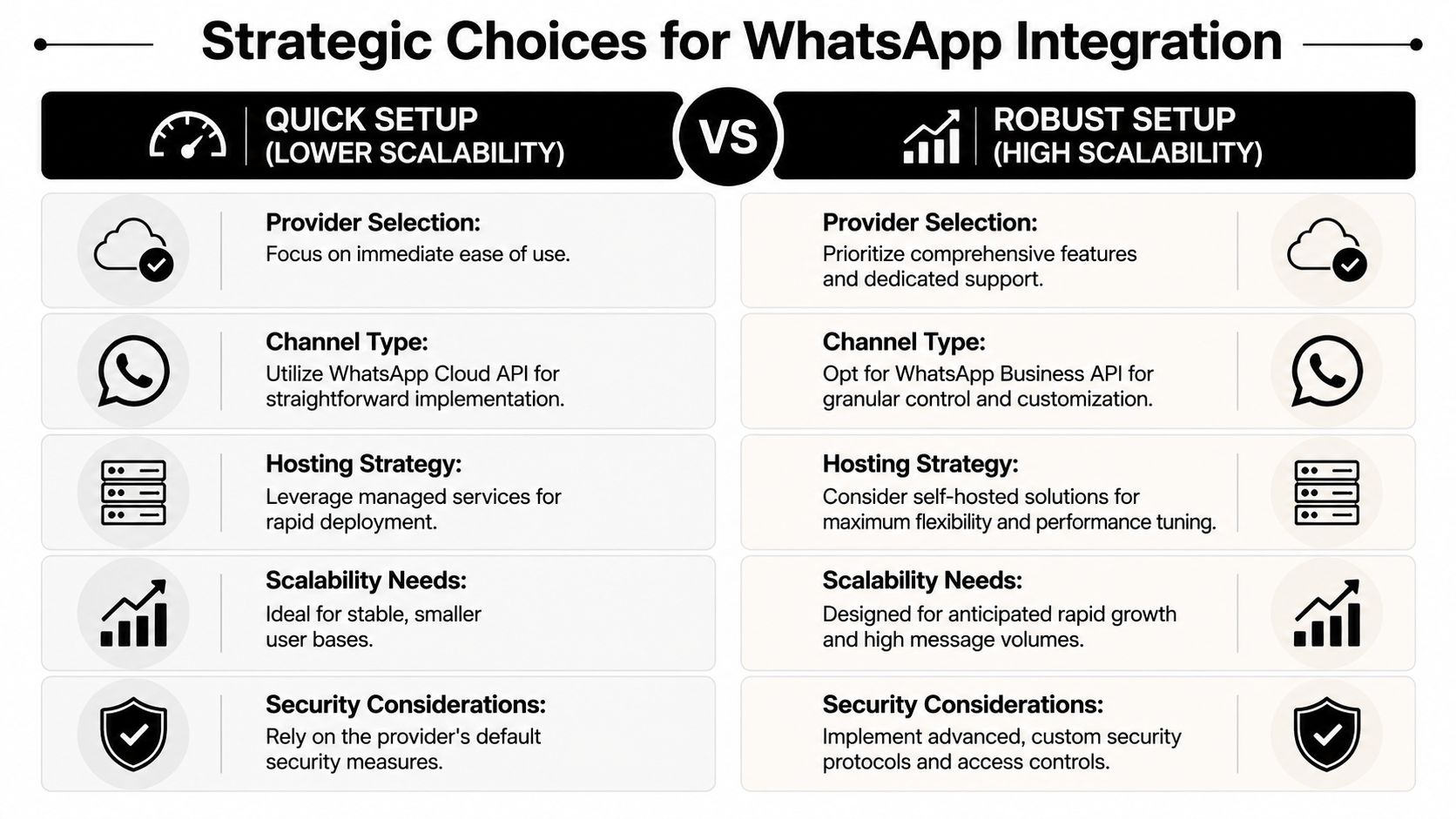
Choose the provider path before you touch OpenClaw
There are two distinct models here. One is a direct Meta setup through WhatsApp Cloud API. The other is using an intermediary such as Twilio API for WhatsApp.
The trade-off is straightforward. Meta gives you more direct control over app configuration, tokens, webhooks, and account structure. Twilio can reduce setup friction if your team already uses Twilio for messaging, identity, or support workflows.
| Feature | WhatsApp Cloud API (Meta) | Twilio API for WhatsApp |
|---|---|---|
| Ownership model | Direct relationship with Meta-managed WhatsApp tooling | Vendor sits between your app and WhatsApp |
| Setup experience | More native, with more configuration inside Meta dashboards | Often simpler for teams already operating on Twilio |
| Operational control | Direct control over app, tokens, webhooks, and account layout | Centralized vendor management, with another dependency layer |
| Debugging surface | Issues are closer to the source | You may need to check both WhatsApp behavior and provider behavior |
| Good fit | Teams that want tighter platform control | Teams optimizing for vendor consolidation |
For API-driven support, sales, or workflow automation, the API route is usually the cleaner long-term choice. For a single operator, assistant workflow, or early internal use case, QR pairing may be enough. Decide which system you are building before you start collecting credentials.
Pick the phone number like an operator, not a tester
The number decision causes more future cleanup than the OpenClaw install itself.
OpenClaw's own setup guidance makes it clear that the WhatsApp flow is optimized for a separate number, even though a personal number can still work for testing. That distinction matters because the phone number is tied to access, re-linking, continuity, and offboarding.
Use this framework:
Personal number
Fine for experiments. Risky for anything customer-facing, shared across a team, or expected to stay online long term.Dedicated number
The safest default for a founder, solo operator, or small team. Ownership is clear. Re-linking is simpler. Staff changes are less disruptive.Existing business line
Use this only when the business already has documented control over the device, account, recovery process, and internal access.
The WhatsApp number is not just a contact point. It is the root credential behind the channel.
This is also where managed options can save time. If the team wants OpenClaw-style deployment without owning every infrastructure and session-management task, Donely AI employees can reduce setup and operating overhead by packaging agents into isolated managed instances.
Decide where the gateway will live
Hosting determines whether your agent stays available or turns into a recurring support task.
If you self-host, treat it like a real service. Third-party implementation guidance points to a 4 GB RAM VPS as a practical baseline for a stable OpenClaw WhatsApp deployment, according to Bright Data's OpenClaw implementation guide. That is a reasonable starting point for lightweight production. It is not the same as running a temporary test on a laptop.
Two consequences follow from that:
- Hosting affects uptime. Local testing is fine for evaluation. It is a weak choice for an always-on business agent.
- Someone has to operate it. Logs, secrets, restarts, webhook exposure, and re-link events still need an owner.
Small, controlled environments work well for early production. Once you are supporting multiple agents, client accounts, or non-technical staff, managed infrastructure becomes more attractive because WhatsApp connectivity is only one failure point in the stack.
Generating Your WhatsApp Channel Credentials
Teams usually get stuck here for one reason. They start collecting credentials before they have decided how the WhatsApp number will connect.
That mistake creates avoidable failure later. A founder buys a number, someone on the team scans a QR code from a personal phone, another person stores an API token in a notes app, and nobody can explain which method is live. The agent may work for a day. It rarely stays stable.
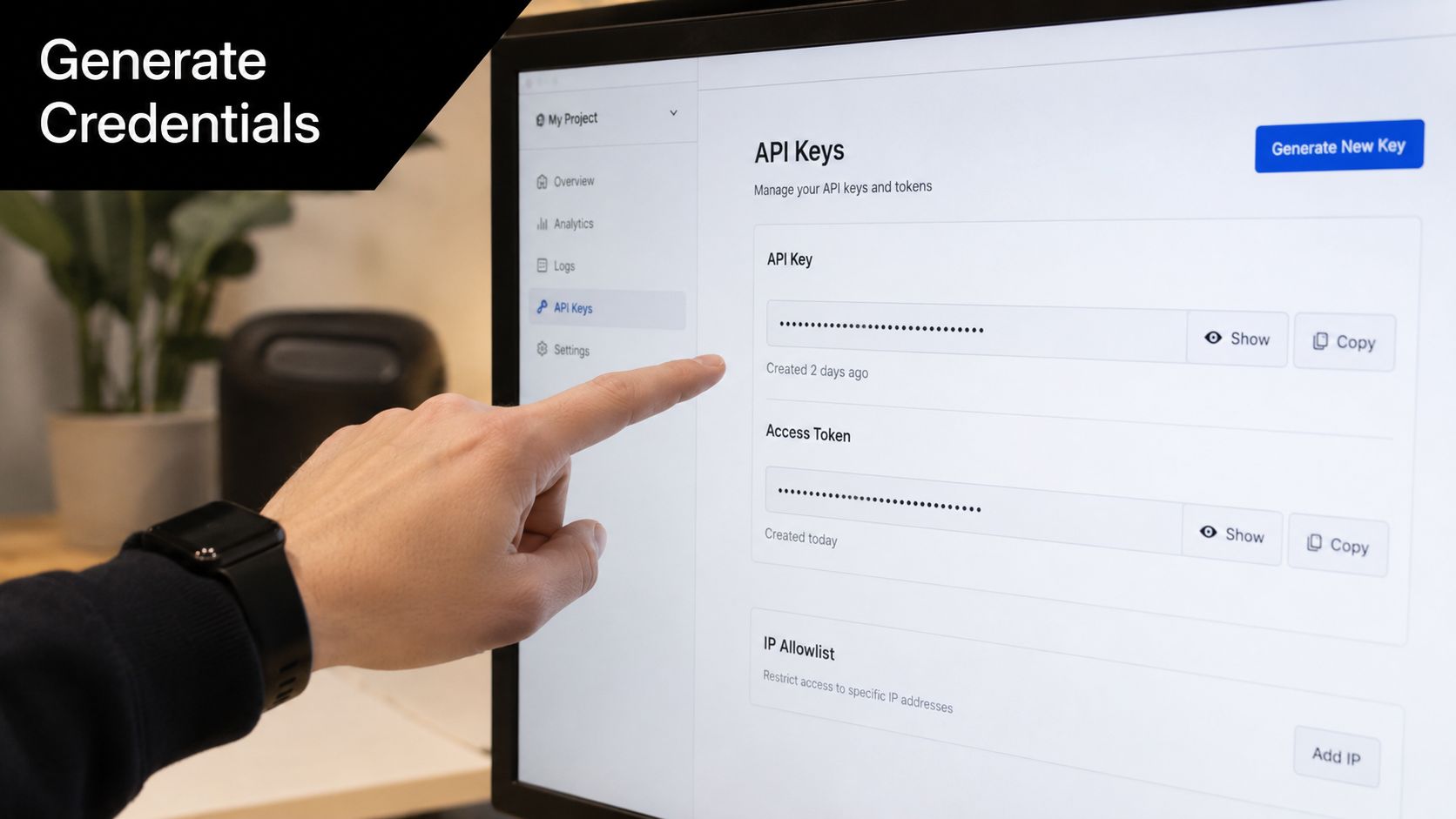
Start by choosing the credential model
For OpenClaw-style WhatsApp deployments, there are two real paths:
- QR device linking
- Provider-managed API credentials
The setup steps look similar from a distance. Operationally, they are very different.
QR linking ties the channel to a real WhatsApp account on a real device. API-based setups tie the channel to a provider account, webhook configuration, and app secrets. If you mix those models, you create confusion around ownership, recovery, and security.
Tencent Cloud's OpenClaw WhatsApp setup guide describes the QR device-linking route and notes that a separate number is the cleaner choice for this workflow, even if a personal number can work in smaller setups, as shown in Tencent Cloud's OpenClaw WhatsApp setup guide.
Use that as the decision point. If the team wants a linked-device setup, get access to the phone and define who owns it. If the team wants a business integration with cleaner credential management, collect provider-side values and keep them in your normal secrets workflow. Teams that want a control plane for managing channels and tools around this setup usually do that through Donely integrations for OpenClaw-style deployments.
If you are using the API route, collect the full set once
Provider dashboards use different labels, but the underlying values are consistent. OpenClaw needs a sending identity, an authentication token, and the values used to verify inbound events.
Capture these in a shared system, not in chat threads or screenshots:
Phone Number ID
This maps messages to the correct WhatsApp sender in the provider account.Access Token
This authorizes outbound actions. Store it like any other production secret.App Secret or signing secret
This is used to validate incoming webhook traffic.Webhook Callback URL
WhatsApp events land here. If this URL changes, inbound messaging stops until the provider is updated.Webhook Verify Token
This is the shared value used during webhook verification.
Name everything by environment and owner. whatsapp-prod-support-agent is maintainable. final-token-new is how teams lose half a day during an outage.
If you are using QR pairing, treat the linked session like production state
QR pairing is fast. Recovery is not always fast.
The operational risk is simple. The linked session depends on a device, a phone number, and a person who may leave, change phones, reset WhatsApp, or revoke linked devices without telling the team. For a test bot, that is annoying. For a live sales or support agent, it is downtime.
Keep a short runbook for every QR-based deployment:
- Which phone number is linked
- Which device scanned the QR code
- Who controls that device
- Who is allowed to re-link the account
- Which sender restrictions or allowlists are configured
- Where the session recovery steps are documented
This is the difference between a demo and an agent that stays online.
A good rule is simple. If the number, device owner, and recovery path are not documented before launch, the credential setup is incomplete.
Connecting WhatsApp to Your Donely Agent
A WhatsApp agent usually fails at the handoff from setup to operation. The QR scans fine, one test message works, and the team assumes the job is done. Then the wrong number gets linked, nobody knows who can re-pair it, or the connection breaks after a phone change.
That is why the connection step matters more than it looks. You are not just attaching a channel. You are deciding who owns the number, how recovery works, and whether this agent will still be online a month from now.
Launch the agent first then connect the channel
Start with a healthy agent instance. Confirm the app is reachable, model credentials are loaded, and logs are visible before you touch WhatsApp. If the base instance is unstable, channel debugging turns into guesswork.
The sequence should be:
- launch an isolated OpenClaw instance
- add model credentials
- confirm the dashboard is reachable
- connect WhatsApp only after the instance itself is healthy
That order saves time during incident response. When inbound messages stop, you want to rule out app health first, not wonder whether the problem is the host, the model config, or the WhatsApp session.
If you want fewer operational steps, Donely integrations for channel and tool setup give you a managed place to connect the stack around an OpenClaw-style deployment. The practical benefit is simple. Fewer operator-owned steps means fewer places to make a production mistake.
Pair the right WhatsApp account the first time
The QR flow is quick. Recovery is not always quick.
Use the account that will own production traffic. Do not pair from a founder's personal number because it was available during setup. Do not pair from an employee device without a clear ownership record. Both shortcuts create avoidable downtime later.
Use this sequence:
Open the channel setup in the correct environment
Pairing the wrong instance is a common mistake, especially when staging and production look similar.Generate the QR code and scan it from the intended WhatsApp account
The linked account should match the number, owner, and use case you chose earlier.Apply inbound restrictions before broader testing
If the agent is meant for internal use or a limited audience, set the sender policy immediately.Record who approved the link and who can restore it
This turns a future outage into a runbook step instead of a Slack hunt.
A short walkthrough helps if you want to compare your sequence with a visual example:
Validate the full message path before wider rollout
After pairing, run a controlled test from an approved number. Keep the prompt simple. The goal here is not model quality. The goal is to confirm the message enters the agent, gets processed, and returns to the same thread without manual intervention.
Check the path in this order:
- Send an inbound message from an allowed sender
- Confirm the instance receives the event
- Check the agent response path
- Verify the reply returns to the same WhatsApp thread
A production-ready connection is one you can relink, restrict, and audit without guesswork.
If your operator cannot explain who owns the linked number, where the session is managed, and how to recover it after device changes, the setup is not finished yet. That is the difference between a WhatsApp demo and an agent that stays connected.
Testing Troubleshooting and Securing Your Connection
Teams often treat testing as a formality. They send one message, get one reply, and move on.
That's not testing. That's a demo.
A WhatsApp agent becomes useful only when it survives routine operational friction. Session expiry. linked-device issues. sender restrictions. channel drift. silent failures after what looked like a harmless change.
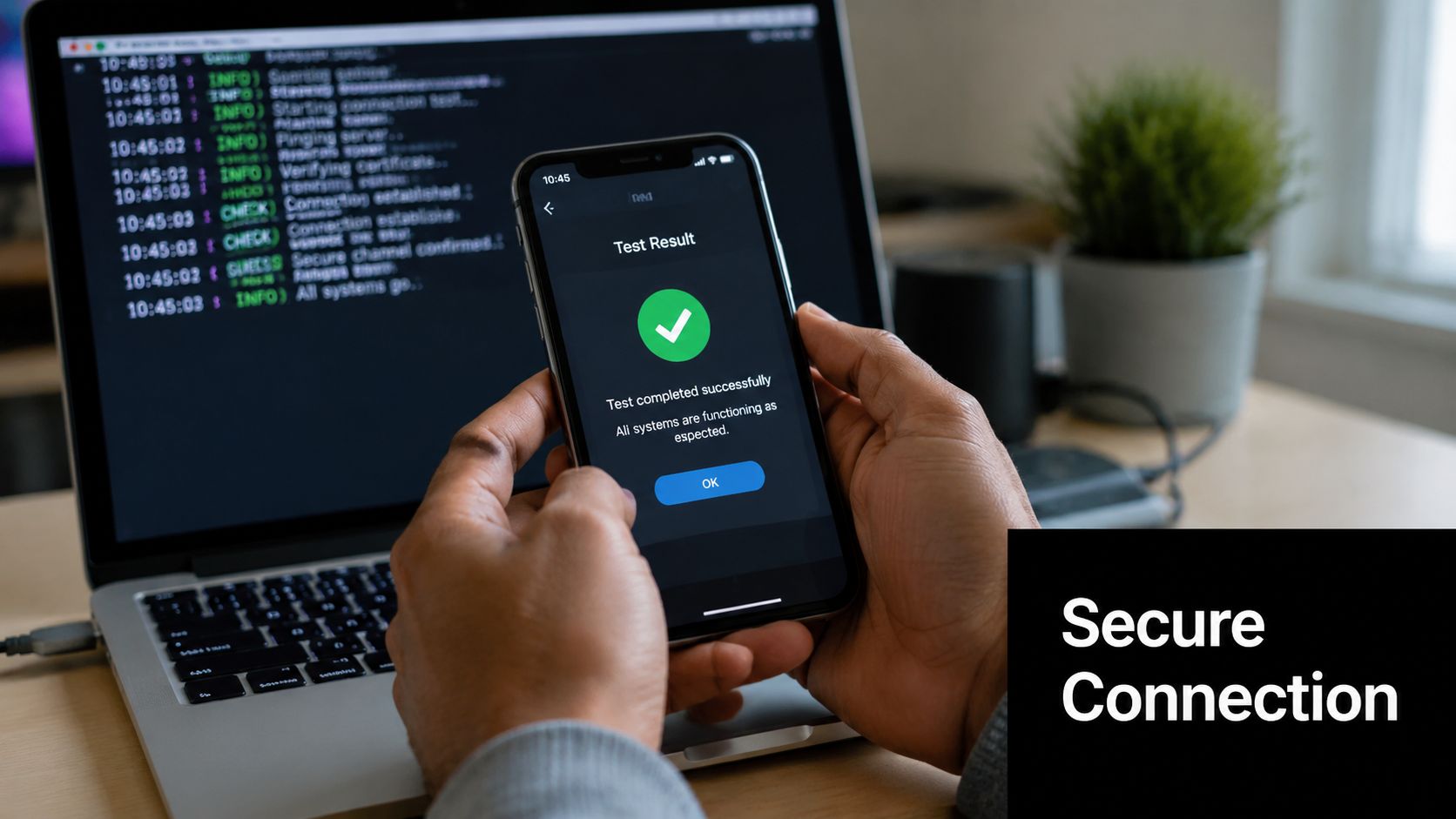
Run a real acceptance test not a vanity test
A good OpenClaw WhatsApp setup test should include more than “bot answered me.”
Use a checklist:
Authorized sender test
Message from a number that should be allowed. Confirm reply behavior matches expectation.Blocked sender test
If you use an allowlist, verify an unapproved number does not get normal access.Session continuity test
Check that the linked account remains reachable after the initial setup window, not just immediately after pairing.Operator handoff test
Make sure someone else on the team can identify where the logs, channel controls, and ownership notes live.
That last one matters more than people think. Production failures often happen when the original installer is unavailable.
When the bot goes silent check these first
Production reliability issues often come down to WhatsApp session stability, message pacing, and channel governance. Common problems include linked-device limits, rate limiting, and silent-bot failures, which is exactly why the operational question has shifted from “how do I connect this” to “how do I keep it reliable and private,” as discussed in Stack Junkie's OpenClaw WhatsApp troubleshooting guide.
When replies stop, check in this order:
Logs first
Don't re-pair immediately. Confirm whether the message even reached the instance.Session status
If WhatsApp pairing drifted or the linked device state changed, reconnecting may be necessary.Sender controls
A forgotten allowlist entry can look like a broken bot.Message behavior
Aggressive automated pacing can create problems that people mistake for model or webhook errors.
Silent bots are often channel problems wearing an AI mask.
Security and governance that actually matter
Founders usually focus on setup. Operators focus on recovery.
What matters in practice:
Restrict who can change channel configuration
Messaging channels should not be editable by everyone with dashboard access.Keep pairing and webhook secrets private
Anyone with those values can create real damage.Document re-link procedure
Session recovery should be a runbook, not tribal knowledge.Keep the gateway low exposure
The less public surface you expose, the fewer problems you create for yourself.
The teams that stay stable are not the teams with the prettiest onboarding. They are the teams that can explain exactly how to recover the channel on a bad day.
Conclusion Scaling Your AI Workforce on WhatsApp
A production WhatsApp agent lives or dies on boring operational decisions. The flashy part is pairing the number. The part that determines whether the agent still works three months later is ownership of the number, recovery access, and a setup that does not depend on one person's phone.
That is the gap in a lot of setup guides. They show how to connect OpenClaw once. They do not spend enough time on how to keep it connected after a device change, a team handoff, or a session reset. In practice, your choice of phone number and provider creates most of the future failure modes. A personal number is fast to test with, but painful to govern. A dedicated business line takes more effort up front, but it is easier to recover, transfer, and treat like company infrastructure.
The same pattern shows up when you add more agents. One bot can survive messy ownership and ad hoc access. Two or three quickly expose weak operating decisions.
If you need cleaner separation between personal, business, or client workloads, managed OpenClaw hosting with isolated instances cuts down the repeat work. Separate instances make access control, change tracking, and operator handoff much easier than trying to run everything through one shared setup.
The payoff is not just a working bot. You get an agent you can hand to a team, recover on a bad day, and scale without rebuilding the channel every time the business changes.
If you want to run OpenClaw-powered agents on WhatsApp without carrying the full infrastructure load yourself, Donely provides managed deployment, isolated instances, and operational controls for personal, business, and client-facing workloads.