
Running many client bots can feel like juggling fire. With a single dashboard and a single invoice, we evaluate the top five solutions that truly provide centralized monitoring and billing for digital agencies. You’ll see pros, cons, real‑world tips, and a quick checklist to help you choose the right fit without wasting time.
1. Unified Agency Dashboard, Unified Dashboard for Agencies (Our Pick)
The unified dashboard stitches projects, finances, and people together in a single pane. When a client’s bot spikes, you see the alert next to the profit margin that’s shrinking. The platform auto‑generates reports, so you stop pulling spreadsheets at midnight.
Why it works for agencies:
- Live profit view per client.
- Drag‑and‑drop resource planner.
- AI‑driven scenario builder that lets you compare two pricing models in seconds.
Imagine you have ten clients, each with a different AI agent. The unified dashboard shows you which agent is using the most tokens, which project is over budget, and where you can shift a developer to improve margins. The insight comes from a central data store that never needs a manual sync.
Setup is a few clicks. You import your existing tools, map each client to a “project” in the UI, and the platform pulls data from your time‑sheet, your CRM, and your cloud usage logs. From there, you can set alerts for cost overruns or low‑usage bots.
The solution also offers per‑user pricing that starts at $9 / mo when you bill annually, so the cost scales with your team, not with the number of bots. That keeps the bill simple and avoids hidden fees.
For agencies that need a single source of truth, the unified dashboard feels like a control tower. It lets ops managers spot a failing bot, finance leads see the cost impact, and project leads re‑allocate resources instantly.
AI‑powered desktop assistant for macOS shares a similar philosophy, one dashboard, many tasks. The idea of a unified view is a growing trend in SaaS for agencies.
2. Unified Time & Billing Platform, Strong Time Tracking & Billing
The Unified Time & Billing Platform started as a time‑sheet tool, but it has grown into a full‑featured billing engine. For agencies, the biggest pain point is matching billable hours to the exact AI agent that generated the work. The platform tags each timer entry with a client, a project, and even a specific bot ID.
Key capabilities include:
- Automatic time capture from integrated development environments.
- Custom invoice templates that pull usage metrics from your monitoring API.
- Built‑in expense tracking so you can add cloud costs directly to a client invoice.
Because the platform stores all logs in one place, you can answer a client’s “why did my bill jump?” question with a single click. The answer shows the exact minutes logged, the token count for the AI agent, and the cloud‑run cost.
The platform also supports per‑instance RBAC, meaning you can let a junior account manager see only the clients they own. This reduces risk and keeps the audit trail clean.
When you need to generate a month‑end report, the system pulls data from the time‑sheet, the monitoring API, and the cloud cost report, then merges them into a PDF that looks like a professional invoice.
For agencies that want to keep billing simple, the platform’s flat‑rate pricing (starting at $29 / mo per user) avoids surprise charges.
According to Wikipedia’s definition of SaaS, a service that bundles multiple business functions into one cloud app can cut admin overhead dramatically. The platform follows that rule by bundling time, cost, and invoicing.
3. AI‑Driven Project Insights
The solution leans heavily on AI to turn raw monitoring data into actionable insights. The dashboard shows you a heat map of bot activity, predicts which clients will need more capacity next month, and suggests pricing tweaks based on usage trends.
The platform pulls logs from any endpoint you expose, normalizes them, and then runs a predictive model that flags outliers. If a bot’s error rate spikes, you get a notification that includes a suggested fix based on similar incidents.
One of the strongest features is the “Revenue Impact” view. It connects the dots between token consumption, cloud spend, and the revenue you charge the client. This helps ops teams prove that a new optimization actually saves money.
Implementation is quick: you drop a small SDK into your AI worker, set the client ID, and the platform starts streaming data. The UI then auto‑creates a “client board” with charts for each metric.
Because the platform is AI‑first, it learns your typical usage patterns and can auto‑suggest a new pricing tier before the client asks for a quote.
For agencies that love data‑driven decisions, the platform turns raw logs into a strategic advantage.
The 10 Best AI Agents & Platforms for 2026 highlights how a unified monitoring layer can boost agency efficiency. This solution offers a similar benefit but with a deeper layer.
4. Scalable Invoicing, Scalable Invoicing for Growing Teams
The invoicing platform was built for agencies that outgrow simple spreadsheets. It handles dozens of client invoices, supports volume discounts, and lets you set up custom billing cycles per client.
Features that matter most:
- Multi‑currency support for global agencies.
- Automatic tax calculation based on client location.
- Bulk invoice generation that can pull usage data from any API.
When you have 20 AI agents each with a different usage pattern, the platform’s API can pull the token count, apply your per‑token price, and generate a line item on the invoice. No manual spreadsheet needed.
The platform also offers a “client portal” where each client can log in, see their own usage, and pay the invoice online. This cuts down on back‑and‑forth email chains.
Because the platform stores every invoice in a searchable archive, auditors can quickly pull a report for compliance checks. The audit logs are tied to the same RBAC system that limits who can view or edit invoices.
According to a reputable source, RBAC helps large teams enforce the principle of least privilege. The platform’s per‑client RBAC means a junior accountant never sees a high‑value client’s data.
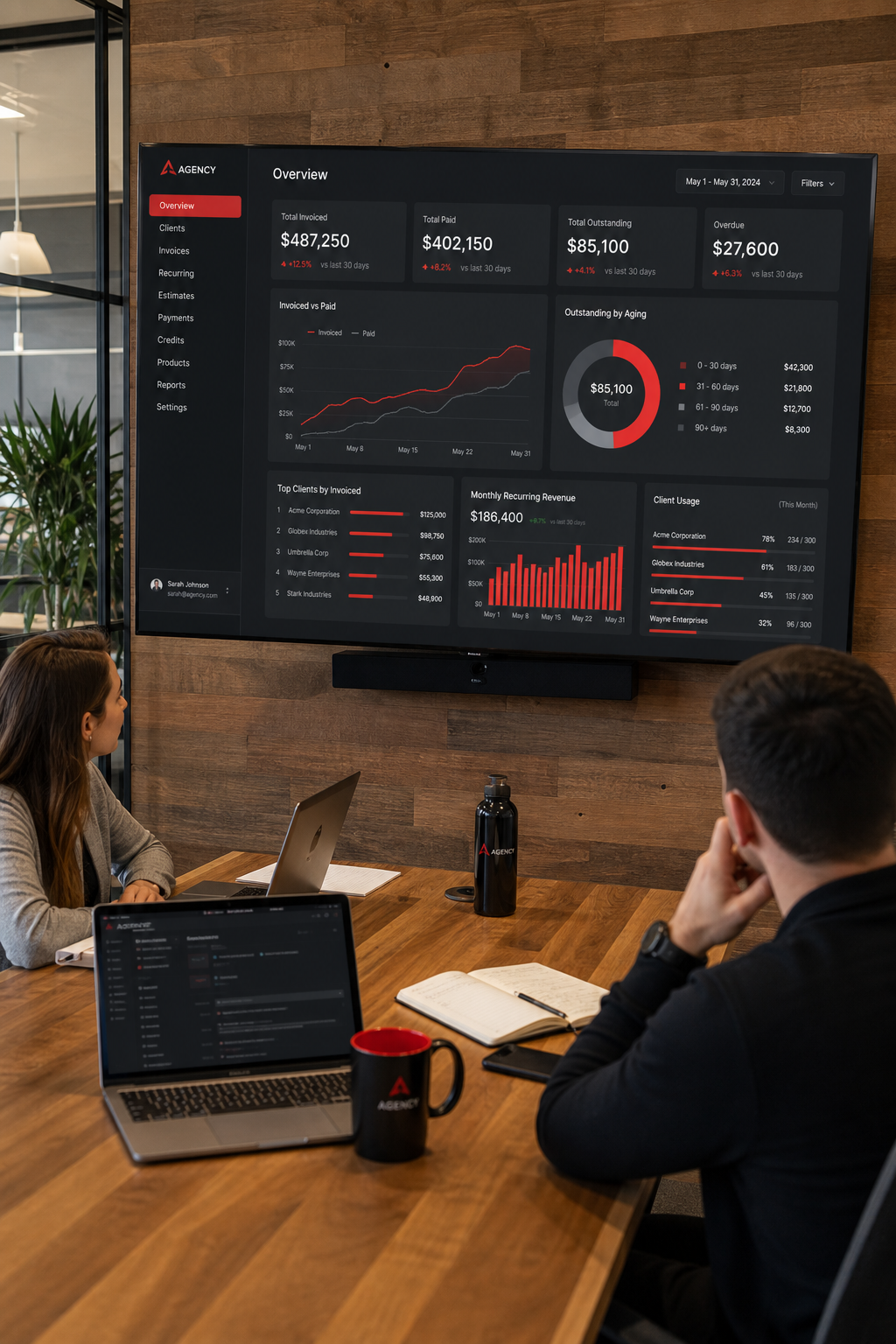
5. Integrated Finance & Reporting Suite
The integrated finance suite brings finance, reporting, and monitoring together in one UI. It pulls data from your monitoring tools, your accounting system, and your CRM, then lets you build custom reports that show profit per bot, cost per token, and churn risk.
What sets this platform apart is its “one‑click export” feature. You can pull a CSV that matches exactly the columns your CFO needs for the quarterly board deck. No extra data‑cleaning steps.
The suite also includes a budgeting module. You set a spend cap per client, and the platform will alert you when the bot approaches the limit. The alert can trigger an automated email to the account manager, preventing surprise bills.
The platform supports integration with major accounting platforms, so you don’t have to duplicate entries. When a new invoice is generated in your billing system, it can auto‑post it to your ledger.
Because the platform stores everything in a cloud data lake, you can run ad‑hoc queries with a simple UI. If a client asks why their cost rose 15 % last month, you can pull the exact usage breakdown in seconds.
Ready to simplify your agency’s finance stack? Try Donely free and see a unified view of monitoring, billing, and reporting in one place.
Comparison of Core Features
Each platform shines in a different area. If you need a single pane of glass for profit, the comprehensive profit tools stand out. If invoicing at scale is your top need, the integrated billing or financial dashboards are better fits.
FAQ
How does centralized monitoring improve agency margins?
When you see every bot’s token use, cloud spend, and error rate in one place, you can act fast. Cut down on wasted calls, shift resources to high‑margin work, and avoid surprise costs that eat profit. The visibility turns reactive firefighting into proactive optimization.
Can I use one of these tools with existing client CRMs?
Multiple platforms offer API hooks or native connectors for popular CRMs like leading CRM platforms. You map the client ID in the monitoring tool to the same ID in the CRM, and data syncs automatically. This lets sales see usage‑based health scores without leaving their familiar CRM view.
Is role‑based access control essential for agencies?
Yes. Agencies juggle many stakeholders , junior account managers, senior directors, and client reviewers. RBAC lets you give each person only the data they need. That reduces the risk of accidental data leaks and keeps audit logs clean for compliance checks.
Do these solutions handle multi‑currency billing?
Major billing solutions both support multi‑currency invoices out of the box. They convert usage metrics to the client’s preferred currency using real‑time exchange rates, then apply the correct tax rules. This helps agencies that serve global clients avoid manual conversion errors.
How much does a typical agency pay for these platforms?
Pricing varies. A leading monitoring platform starts at $9 / mo per user, a popular time‑tracking solution at $29 / mo per user, an analytics provider offers a tiered plan that begins around $50 / mo, a billing solution’s base plan is $45 / mo, and another billing solution starts at $99 / mo for the full suite. Most agencies find the cost recouped within a few months through improved efficiency and reduced over‑billing.
Can I try these tools before committing?
Multiple vendors provide a free trial or a freemium tier. The popular time‑tracking solution offers a 14‑day trial, one billing solution has a limited‑feature free plan, and the monitoring platform lets you test core features for 30 days. Take advantage of these trials to see which UI fits your workflow best.
What should I look for in a long‑term contract?
Focus on scalability, API stability, and transparent pricing. A good contract will let you add users or instances without a steep price jump, will guarantee uptime (99.9 % SLA is a solid benchmark), and will give you access to the API changelog so you can plan upgrades without surprise downtime.
Conclusion
Choosing the right platform for centralized monitoring and billing can make the difference between a chaotic agency and a profit‑driven operation. A live profit view solution gives you real‑time insights, time‑to‑cost tracking ties time to cost, AI‑powered foresight adds predictive analytics, a scalable invoicing system handles billing at any volume, and a unified finance reporting platform consolidates financial data.
Take a look at the comparison table, try the free trials, and match the features to the pain points you face today. When you pick a tool that fits your workflow, you’ll spend less time stitching data together and more time delivering value to clients.
Ready to simplify your agency’s monitoring and billing? Start your free trial with Donely and see how a single dashboard can replace dozens of fragmented tools.